

Ported from Garden’s documentation: getting-started/basics.md, gliss-cli at
3bc62a036 (Garden 0.14). Gliss runs Garden under the hood; the notes on this page say where Gliss differs.gliss.yaml is the whole interface and Garden stays out of sight.
Garden is a powerful tool but the basic concepts are quite simple. We highly recommend that you spend a few minutes reading through this guide to grasp them. If you do that, everything else that follows should feel quite intuitive.
Anatomy of a Garden project
Every Garden project has the same structure: A project configuration and one or more actions. As a convention, the project configuration is in a file calledproject.garden.yml, typically at the root of a given repo. A simple project configuration looks like this:
kubernetes provider to use Helm actions.
So if you’re using Garden to deploy to a Kubernetes cluster, you’d add the kubernetes or local-kubernetes provider configuration here. For example:
In Gliss, the project uses the
gliss provider instead of kubernetes or local-kubernetes. Gliss projects hold no kubeconfig: a deploy becomes a signed release request, and the cluster agent applies it. There is no local Kubernetes mode.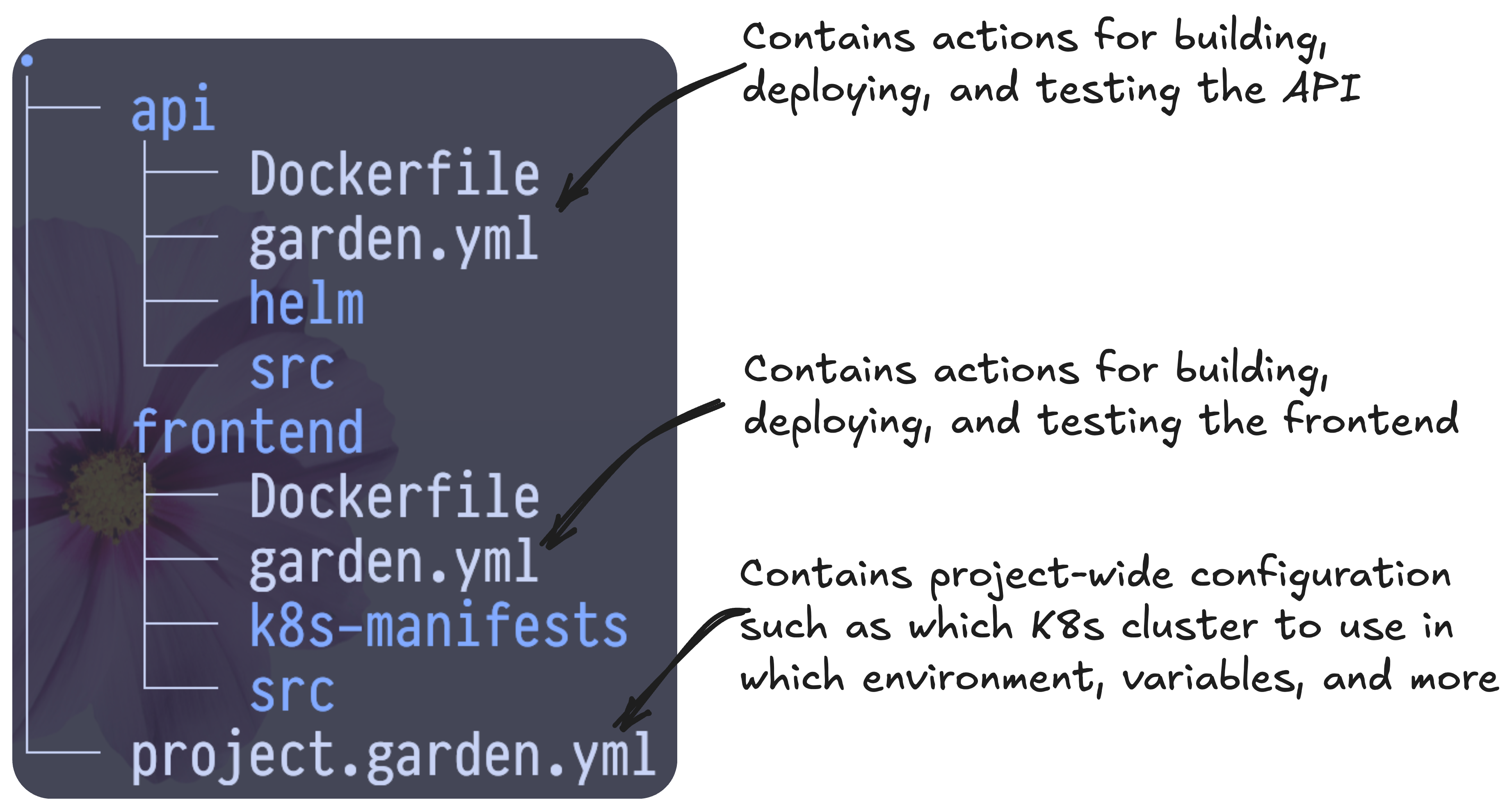
Garden project structure
Anatomy of a Garden action
Actions are the building blocks of a Garden project and describe how a given part of your system is built, deployed, or tested. Every Garden action has the same common fields likekind, name,type, and a spec field that is specific to the action type.
The type tells Garden how to execute it. Garden will know to build container actions, install helm actions, and so on.
In Gliss, the action types are limited to what the catalog and your level allow:
container and exec builds, the Gliss action types such as gliss-service and gliss-postgres, and helm or kubernetes deploys at level 2 only. Terraform and Pulumi are not available. An unsupported type fails validation and names the nearest supported one.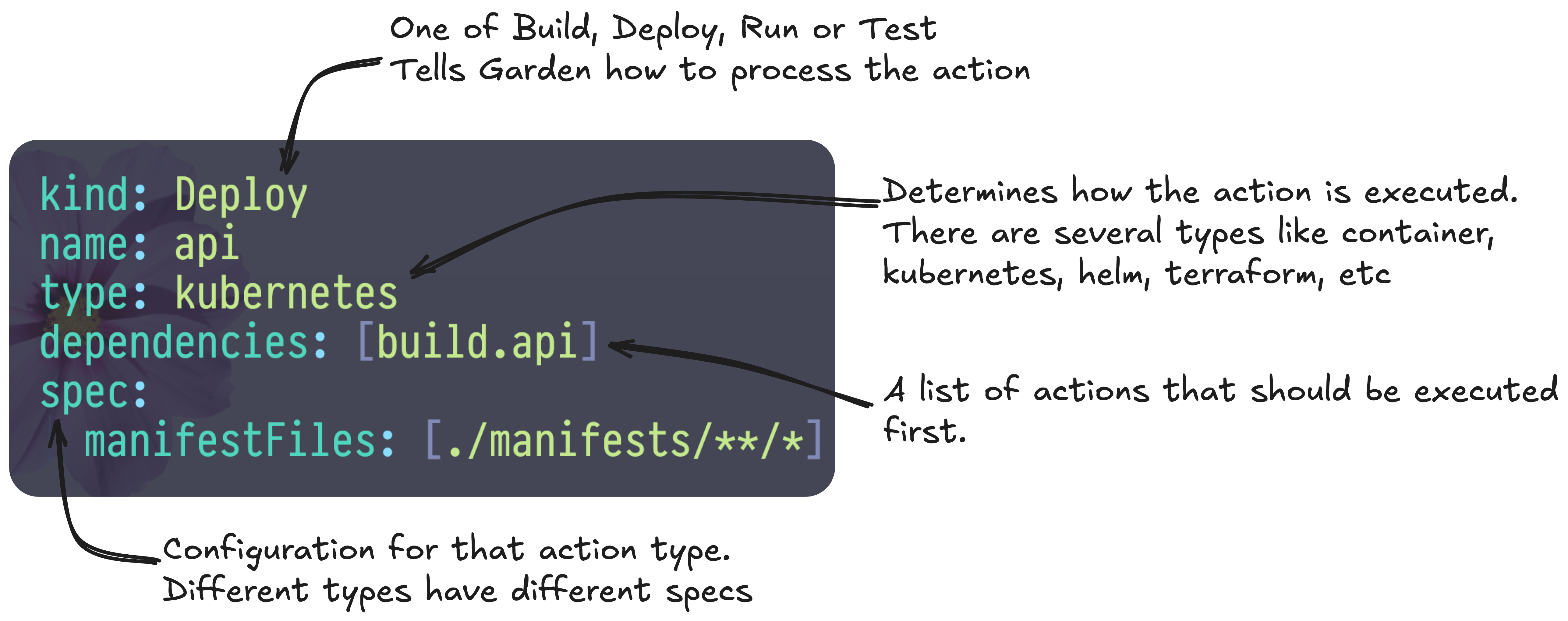
The anatomy of an action
say-hello action (because say-what depends on it) and then the say-what action which prints the output from say-hello:
Benefits
The example above that just runs simple scripts is pretty trivial but this same pattern allows you to build, deploy and test a system of any complexity in a single command. With a single Garden command you could for example:- build and deploy all your services into an isolated environment in that cluster;
- then run your integration and end-to-end tests before tearing things down again.
In Gliss, builds run in your own CI, and the action cache lives in the Gliss control plane. The cache holds only hashes, statuses and image digests, never your code or logs.